

Introduction
In the digital ecosystem of 2026, the web browser has evolved into more than just a tool—it is effectively your operating system. Whether you are managing corporate spreadsheets, accessing your telehealth portal, or handling high-stakes financial trades, you are doing it within a browser. To make this experience faster and more “productive,” we turn to browser extensions.
Think of them as the digital Swiss Army Knives of the modern age. Need to block ads? There’s an extension. Need to fix your grammar in real-time? There’s an extension. Need to track crypto prices or find a discount code? There are thousands. But here is the reality check: Every extension you install is an “invisible employee” sitting at your desk, watching every keystroke, every click, and every private message. While the majority of developers have good intentions, a growing percentage of extensions are either designed maliciously or become compromised over time, turning your browser into a playground for cybercriminals.
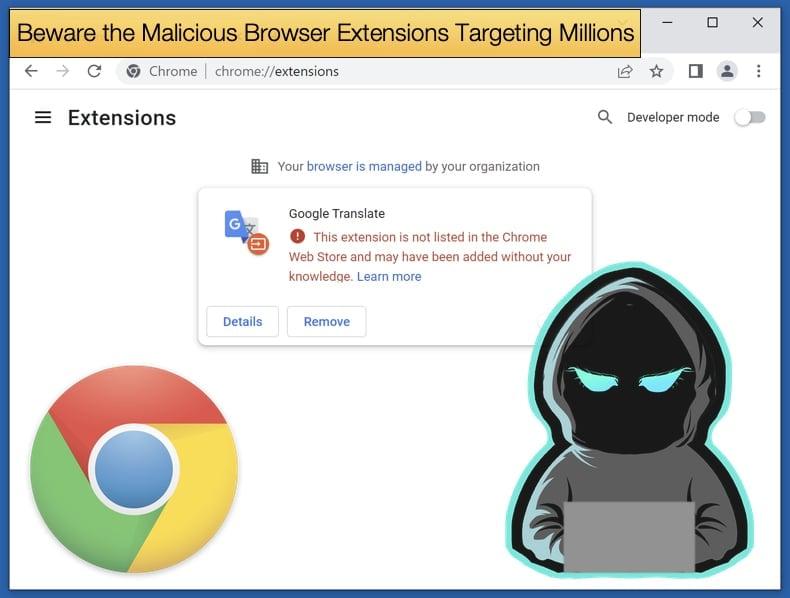
The Technical Reality: How Extensions Gain “God Mode”
To understand the risk, you must understand how browser extensions work under the hood. Most extensions are essentially small bundles of JavaScript, HTML, and CSS. Because they integrate directly into your browser’s architecture, they can interact with the Document Object Model (DOM) of any website you visit.
In simpler terms: if an extension has the permission to “Read and change all your data on the websites you visit,” it can technically see the text you type into a password field before it is encrypted and sent to the server. It can see your bank balance, read your private Facebook messages, and even modify the content of a page—perhaps changing the destination bank account number when you attempt a wire transfer.
The Shift to Manifest V3
By 2026, the industry has largely migrated to Manifest V3, a set of rules designed by browser creators (like Google) to limit the damage extensions can do. While this has improved security by restricting certain background processes, it hasn’t eliminated the threat. Malicious actors have simply become more creative, finding ways to exfiltrate data within the new, tighter boundaries.
The Three Faces of Extension Threats
Not all “bad” extensions operate in the same way. Cyberattackers generally use one of three strategies to exploit users:
1. The Passive Harvester (Spyware)
This is the most common and often the most “legal” threat. These extensions provide a genuine service—like a weather widget or a custom cursor—but their primary business model is data exfiltration. They monitor your browsing history, record which products you look at on Amazon, and track how long you spend on medical sites. This “anonymized” data is then sold to data brokers, allowing companies to build a scarily accurate profile of your life.
2. The Active Thief (Credential Theft)
These are explicitly malicious. They often masquerade as “Security Tools” or “Ad Blockers.” Once installed, they wait for you to visit a high-value site (like a crypto exchange or a corporate portal). Using a technique called Form Grabbing, they copy your login credentials the moment you hit “Submit” and send them to a remote Command and Control (C2) server.
3. The “Bait and Switch” (Ownership Takeover)
This is perhaps the most insidious threat. A developer builds a legitimate extension with a million users. Eventually, they get tired of maintaining it. A mysterious company offers them $50,000 for the rights to the extension. The developer sells, and the new owners immediately push a “silent update” that includes malicious code. Because you already trusted the extension, you don’t think twice when it asks for an “updated” set of permissions.
Why Organizations Are Fearing “Shadow Extensions”
For the enterprise, browser extensions represent a massive Shadow IT risk. An employee might install a “PDF to Word Converter” to help them finish a report faster. If that extension is compromised, the “invisible employee” now has access to the company’s internal Slack, its Salesforce database, and its internal HR portal.
The 2026 Corporate Scenario: A single employee installs a “Meeting Summarizer” extension. The extension is later compromised, allowing hackers to “listen in” on every browser-based video call and scrape confidential board meeting notes directly from the browser window.
This is why modern organizations are moving toward Allow-listing, where employees can only install extensions that have been vetted and approved by the IT security team.
The Red Flag Checklist: Is Your Extension a Risk?
Before you click “Add to Chrome” or “Get,” perform this 30-second audit:
The Permissions Gap: Why does a “Calculator” extension need to “Read and change all your data”? If the permissions don’t match the function, it’s a trap.
The Developer Reputation: Is the developer a known entity? Check their website. If the support email is a generic
@gmail.comor@outlook.comaddress, proceed with extreme caution.The Review Echo Chamber: Thousands of 5-star reviews with generic text (“Great app!”, “Works well!”) are often a sign of bot-manipulated ratings.
The Privacy Policy: If they don’t have a clear, easy-to-read privacy policy stating exactly what they do with your data, assume they are selling it.
Defensive Strategies: How to Protect Your Digital Life
You don’t need to live in a world without extensions, but you do need to practice Digital Hygiene:
The “Minimalist” Approach: If you haven’t used an extension in the last 30 days, delete it. The fewer extensions you have, the smaller your “attack surface.”
Use Browser Profiles: Create a “Work” profile with your necessary extensions and a “Personal” profile for things like banking. Never install extensions in your “Banking” profile.
Audit Your Extensions Monthly: Go to
chrome://extensions(or your browser’s equivalent) once a month. Look for anything you don’t recognize.Enforce Multi-Factor Authentication (MFA): If an extension steals your password, MFA (specifically via an authenticator app or hardware key) is the only thing that stops the hacker from getting in.
Education as the Ultimate Firewall: The FireShark Role
As browser-based attacks become more sophisticated, the world needs security professionals who can perform Extension Forensics. Identifying a malicious script buried in 10,000 lines of an extension’s JavaScript is a specialized skill.
FireShark provides the hands-on, practical training needed to master these modern defenses. From SOC analysts who need to spot anomalous network traffic coming from a browser to penetration testers who want to understand how to secure corporate endpoints, FireShark’s curriculum focuses on the threats of today, not the threats of ten years ago.
Conclusion: Balancing Utility and Vigilance
In 2026, the browser is the gateway to our professional and private lives. Browser extensions offer incredible power to customize that gateway, but that power comes with a significant security tax. By being selective, staying informed, and using a “Zero Trust” approach to every add-on you install, you can enjoy the benefits of the modern web without letting an “invisible employee” walk away with your secrets.
When was the last time you audited your browser extensions? Take five minutes today—it might save your identity tomorrow.
Frequently Asked Questions (FAQs)
1. Can an extension see my credit card number if I use Auto-fill?
Yes. If an extension has permission to “read data on the websites you visit,” it can see the values populated in form fields, including those filled by the browser’s auto-fill feature.
2. Are extensions on “Incognito Mode” safe?
By default, browsers disable extensions in Incognito/Private mode for this very reason. However, if you manually enable them, they have the same risks as they do in normal browsing.
3. Does “Safe Browsing” in Chrome protect me from extensions?
Only partially. Safe Browsing is great at blocking known malicious websites, but it may not catch a “legitimate” extension that is silently collecting your data and selling it.
4. What is the safest way to convert a PDF if I shouldn’t use an extension?
Use a reputable, standalone desktop application or a built-in browser feature. If you must use a web-based tool, use a well-known service (like Adobe’s web tools) and avoid installing its persistent extension.
5. How can my company manage extensions for 500+ employees?
IT departments use Group Policy Objects (GPO) or Mobile Device Management (MDM) to force specific security settings, such as blocking all extensions except for an approved “Allow-list.”