

Introduction
Mobile applications have seamlessly integrated into our daily personal and professional workflows. From executing financial trades and managing corporate clouds to standard messaging, our smartphones serve as high-trust endpoint devices. Cybercriminals have recognized this behavioral reliance. Rather than expending resources trying to exploit complex network-layer defenses, threat actors are increasingly deploying fake mobile applications designed to manipulate user trust and extract highly sensitive data directly from the palm of your hand.
In the mobile threat landscape, mobile fraud has graduated from amateur clones to highly sophisticated, modular software distribution networks. Understanding the deceptive engineering behind these malicious apps is the first step toward securing your personal data and corporate ecosystems.

The Modern Face of App Fraud: Stealth and Overlay Chains
Historically, a fake mobile app was easy to spot—it featured poor graphics, broken English, and fractured functionality. Modern malicious apps, however, are indistinguishable from the authentic platforms they spoof. Threat actors routinely clone the precise user interfaces (UI), color palettes, and operational flows of major financial institutions, government portals, and enterprise tools.
[Legitimate App Launched] ──> [Malicious Accessibility Script] ──> [Invisible Overlay Form Intercepts Data]
A prime example of this evolution is OverlayPhantom, a highly sophisticated Android banking trojan that actively targets hundreds of financial and cryptocurrency applications. Rather than breaking into your official apps, these modern trojans hide behind benign disguises—such as fraudulent VPN utilities, AI assistants, or delivery tracking tools—and wait for you to open your legitimate applications before striking.
The Mechanics of Deception: How Fake Apps Harvest Data
Cybercriminals utilize a multi-layered suite of technical mechanics to trick users and compromise device integrity once a fake application is installed.
1. Advanced UI Overlay Attacks
The primary weapon of modern mobile malware is the overlay attack. When a user launches a high-value application (like a banking portal or corporate network console), the malware detects this foreground activity and instantly renders a pixel-perfect, fake HTML login window directly on top of the legitimate app.
The user believes they are entering their credentials into their trusted app. In reality, they are typing their username, password, and pin directly into a malicious form that transmits the data directly to an external Command-and-Control (C&C) server.
2. The Abuse of Accessibility Services
To execute overlay attacks and maintain persistence, fake apps frequently demand access to the device’s Accessibility Services. Intended to assist users with disabilities by reading screens and automating touches, this permission grants an application near-total control over the operating system. When hijacked by a fake app, it allows the malware to:
Silently approve subsequent deep system permissions without user interaction.
Intercept and read text strings, effectively acting as a mobile keylogger.
Log unblockable screenshots or record real-time video of the display.
Prevent the user from navigating to system settings to uninstall the malicious application.
3. SMS Interception and Multi-Factor Bypass
Many users rely on SMS-based two-factor authentication (2FA) as their primary security backup. Sophisticated fake apps systematically request permission to read and manage incoming text messages. The moment a financial institution sends a one-time passcode (OTP) to verify a transaction, the malware intercepts the code, forwards it to the attacker, and deletes the notification before the victim ever realizes a transfer has taken place.
Beyond Individual Lures: The Enterprise Target Vector
While retail banking clients face significant exposure, fake apps pose an acute threat to corporate networks. As remote work models keep employees connected to internal servers via personal mobile devices, threat actors use fake applications to cross administrative perimeters.
Commercial malware-as-a-service (MaaS) kits, such as BTMOB, allow low-capability criminals to rapidly customize malicious app packages. By embedding data-stealing payloads into fake enterprise tools or cloned communication portals, attackers can harvest session cookies, corporate VPN tokens, and internal employee registries, transforming a single careless download into a full-scale corporate breach.
To understand how these stolen corporate access keys are weaponized once they reach external hands, explore our in-depth analysis on Insider Threats: When Employees Become Security Risks.
Distribution Pipelines: How Fake Apps Bypass Safety Protocols
While official marketplaces like Google Play and the Apple App Store employ automated security scanners, sophisticated malicious apps occasionally find short-term bypass windows using dynamic code loading—downloading their malicious payloads after passing initial store inspection. However, the majority of fake applications find their way onto devices through alternative, unmonitored channels:
Sideloading and Malicious APKs: Attackers leverage search engine spam or targeted phishing emails to direct users to third-party download pages. These sites trick users into manually downloading and installing raw application files (APKs), often under the guise of an “exclusive premium feature” or a “necessary regional update.”
Rogue Ads and Social Engineering: Cybercriminals deploy aggressive social media advertising campaigns promoting fake utility software, high-ROI investment platforms, or counterfeit games to drive high-volume, impulsive installations.
Identifying the Red Flags of a Fraudulent App
Before installing any piece of software onto a mobile device, users should carefully cross-examine the application for these common architectural anomalies:
The Disproportionate Permission Request: If a simple calculator, custom keyboard, or wallpaper utility demands permission to access your contact lists, read your SMS logs, or activate Accessibility Services, it is a definitive sign of malicious intent.
Developer Verification Failures: Always inspect the developer name listed beneath the app title. Fake apps frequently use names that closely mimic official organizations but contain subtle typos or utilize generic email addresses (e.g.,
@gmail.com) instead of a verified corporate domain.The “Too Good to Be True” Lure: Apps promising unlocked premium features for free, unverified investment returns, or unreleased features are almost always front-ends for data-harvesting operations.
Defensive Matrix: Protecting Mobile Infrastructure
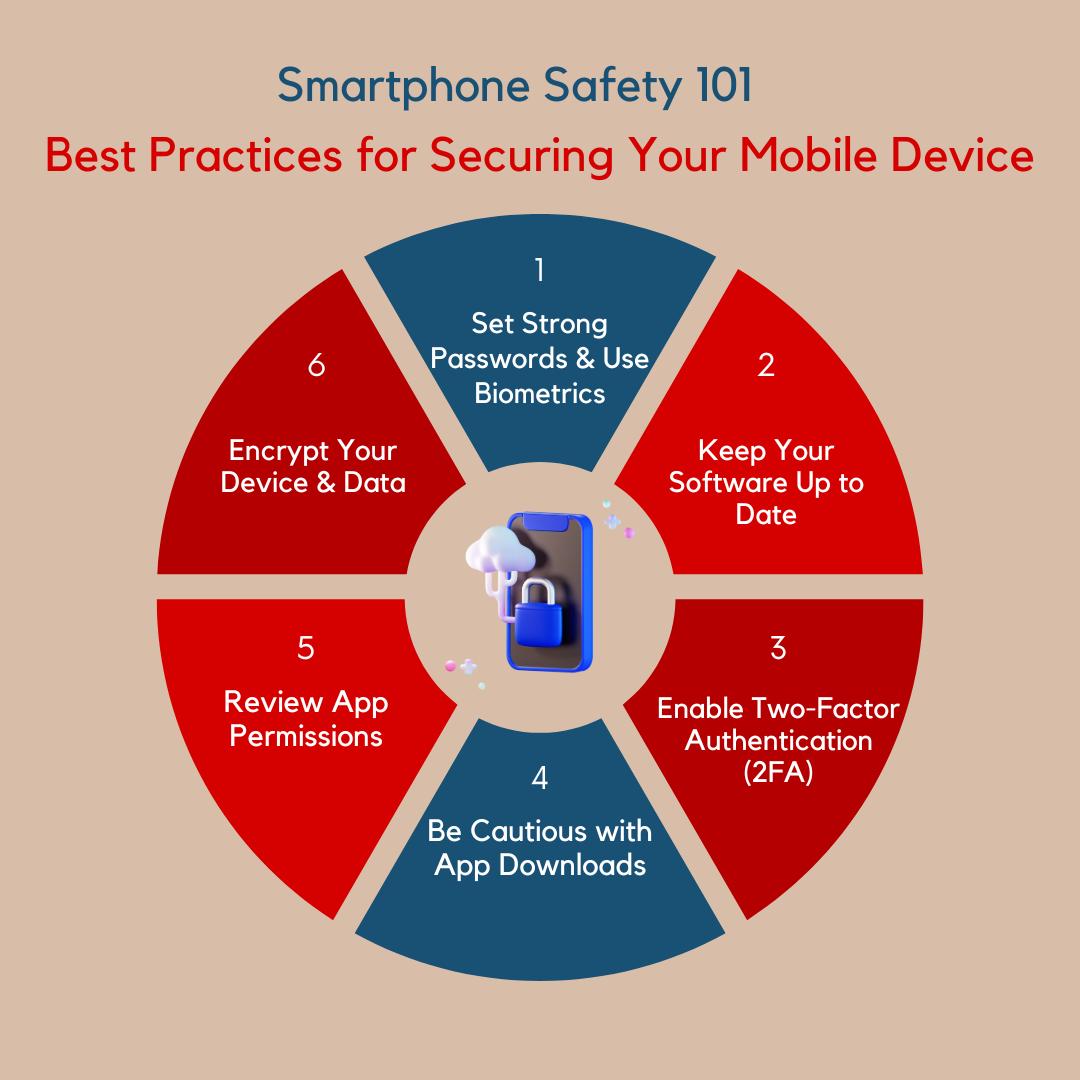
| Actionable Defense | Strategic Impact | Implementation Protocol |
| Strict Store Discipline | Eliminates 90% of raw malware vectors. | Never sideload applications or download raw installation packages (APKs) from websites or chat links. |
| Granular Permission Audits | Limits the technical blast radius. | Explicitly deny access to Accessibility Services and SMS privileges unless absolutely necessary. |
| Biometric/App MFA | Prevents credential reuse fraud. | Migrate away from SMS passcodes toward app-based authenticators or hardware keys. |
| Device Integrity Checks | Flags pre-installed/stealth implants. | Purchase devices from authorized retailers to avoid firmware-level backdoors. |
Strengthening the Human Firewall with FireShark
Technical defenses and operating system updates are vital components of mobile security, but they are entirely dependent on user discretion. If an employee willingly clicks through defensive operating system warnings to grant high-level system permissions to an unverified app, the technical perimeter fails. Building true enterprise resilience requires turning your workforce into an active, analytical line of defense. To understand how organizations build end-to-end security architectures, review our foundational guide on What is Cybersecurity? Why is Cybersecurity Important?.
FireShark neutralizes mobile and social engineering threat vectors through high-impact, modern security awareness training. Our immersive programs educate teams on how to spot advanced overlay tactics, recognize malicious download lures, and safely manage endpoint permissions on both personal and corporate devices. By instilling sharp digital instincts across your organization, FireShark helps ensure your human firewall remains fully equipped to defend your data against the evolving mobile threat landscape.
Conclusion
Fake mobile apps represent a potent cybersecurity risk because they target the fundamental relationship of trust between a user and their device interface. Through the manipulation of accessibility features, the deployment of invisible UI overlays, and tactical social engineering, cybercriminals have successfully turned convenient everyday utilities into data-exfiltration pipelines. By enforcing strict download hygiene, continuously auditing application permissions, and maintaining organizational awareness, both individuals and enterprises can safely navigate the mobile ecosystem without exposing their digital assets.
Frequently Asked Questions (FAQs)
1. How does a mobile overlay attack actually function in real time?
An overlay attack occurs when a malicious background app detects that you have opened a high-priority app, like a banking portal. The malware immediately renders an identical, fake login screen precisely over the legitimate app interface. When you input your credentials, you are unknowingly typing them into the attacker’s malicious window rather than the secure app beneath it.
2. Why is granting “Accessibility Services” permission to an unfamiliar app so dangerous?
Accessibility Services give an application deep system-level control over your mobile operating system. If a malicious app obtains this permission, it can read everything displayed on your screen (including hidden passwords), log your keystrokes, simulate physical touches to approve other permissions automatically, and actively block you from accessing settings to uninstall it.
3. Can fake mobile applications steal my data if I use an official app store?
Yes, though it is much rarer. Attackers occasionally bypass initial app store screenings by submitting a completely clean, basic utility app. Once the app is approved and downloaded by thousands of users, the developers push a malicious update or use dynamic code loading to transform the benign utility into a data-harvesting tool before store security teams can intervene.
4. What should I do immediately if I realize I have downloaded a fake mobile app?
First, isolate the device by disconnecting it from cellular data and Wi-Fi networks to halt active data transmission. Next, boot your phone into “Safe Mode” to prevent third-party apps from running in the background, navigate to your application manager, and uninstall the malicious app. Finally, from a separate, secure device, immediately change all passwords and session tokens associated with any accounts accessed while the fake app was installed.
5. How do fake mobile apps bypass multi-factor authentication (MFA)?
Many fake applications request permission to read and process your incoming SMS messages. When your bank or enterprise application sends an SMS-based verification code, the malware silently captures the one-time passcode, transmits it to the threat actors to complete their unauthorized login, and deletes the incoming message so you remain unaware of the intrusion.