

Introduction
In the cybersecurity landscape of 2026, the term “hack” is often a misnomer. Real cyber attacks aren’t just single moments of digital trespassing; they are sophisticated, multi-stage campaigns that resemble a high-stakes heist. While the media loves to showcase the “Boom”—the moment a screen turns red with a ransom note—the actual attack likely began months ago, silent and invisible.
For professionals and students at platforms like FireShark, understanding this anatomy is the difference between stopping a breach in its tracks and being the one writing the incident report. Here is the descriptive, step-by-step breakdown of how a modern cyber attack unfolds.
Summary: The Anatomy of an Attack
| Stage | Action | Goal |
| 1. Reconnaissance | Digital Casing | Gather OSINT, map the target, find weak links. |
| 2. Initial Access | The Breach | Phishing, “Quishing,” or exploiting unpatched bugs. |
| 3. Persistence | Staying Put | Installing backdoors or “Living off the Land” (LotL). |
| 4. Lateral Movement | Expansion | Moving from a low-privilege PC to the Domain Controller. |
| 5. Exfiltration | The Heist | Stealing sensitive data before the victim notices. |
| 6. Disruption | The “Boom” | Ransomware execution or system sabotage. |
| 7. Incident Response | Defense | Detecting the threat and “evicting” the attacker. |
| 8. Recovery | Restoration | Rebuilding from backups and patching the hole. |
Stage 1: Reconnaissance (Digital Casing)
Attackers in 2026 don’t go in blind. They spend weeks in the “Recon” phase using OSINT (Open Source Intelligence). They scrape LinkedIn to find IT staff, monitor job postings to see what firewall tech the company uses, and use tools like Shodan to find exposed servers.
The 2026 Twist: Attackers now use Generative AI to automate this process, creating “Target Profiles” that predict which employees are most likely to click a link based on their public social media activity.

Stage 2: Initial Access (The Break-In)
This is the moment the perimeter is breached. It’s rarely a “Matrix-style” brute force; it’s usually someone opening a door from the inside.
Phishing & Quishing: An HR rep scans a QR code on a fake invoice.
Credential Stuffing: Using passwords leaked from other breaches.
Vulnerability Exploitation: Finding a server that hasn’t been updated in six months and using a known exploit code.
Stage 3: Malware Deployment and Persistence
Once inside, the attacker’s first priority is not to steal data—it’s to ensure they don’t get kicked out if the computer reboots.
They install persistence mechanisms. This might be a hidden script that runs every time a server starts or a “Web Shell” on a company portal. In 2026, we see more “fileless” malware that lives only in the system’s memory (RAM), making it invisible to traditional antivirus software.
Stage 4: Lateral Movement (Expanding the Territory)
A hacker who breaks into a receptionist’s laptop doesn’t want the receptionist’s files; they want the Domain Admin credentials or the Cloud Database.
They move “laterally” across the network. They use tools to “sniff” the network for passwords or exploit “over-privileged” accounts. By the end of this stage, the attacker has usually mapped out the entire corporate structure and has keys to the most sensitive rooms.
Stage 5: Data Collection and Exfiltration
This is the silent heist. Before they reveal themselves, attackers identify the “Crown Jewels”—customer databases, intellectual property, or financial records.
Compression & Encryption: They zip the files and encrypt them themselves so that corporate “Data Loss Prevention” (DLP) tools can’t see what’s inside the outgoing traffic.
Slow Drip: They send the data out in small chunks over several days to avoid triggering network traffic alarms.
Stage 6: Business Disruption (The “Boom”)
For ransomware gangs, this is the payday. Once the data is stolen, they execute the ransomware.
Within minutes, files across the company become encrypted. Servers go offline. The website crashes. Employees are met with a Ransom Note on their screens. In 2026, this is often “Double Extortion”: they demand money to give you the decryption key AND money to promise they won’t leak the data they already stole in Stage 5.
Stage 7: Detection and Incident Response (The Fight Back)
Finally, the sirens go off. The company’s SOC (Security Operations Center) detects a massive spike in CPU usage or unauthorized admin logins.
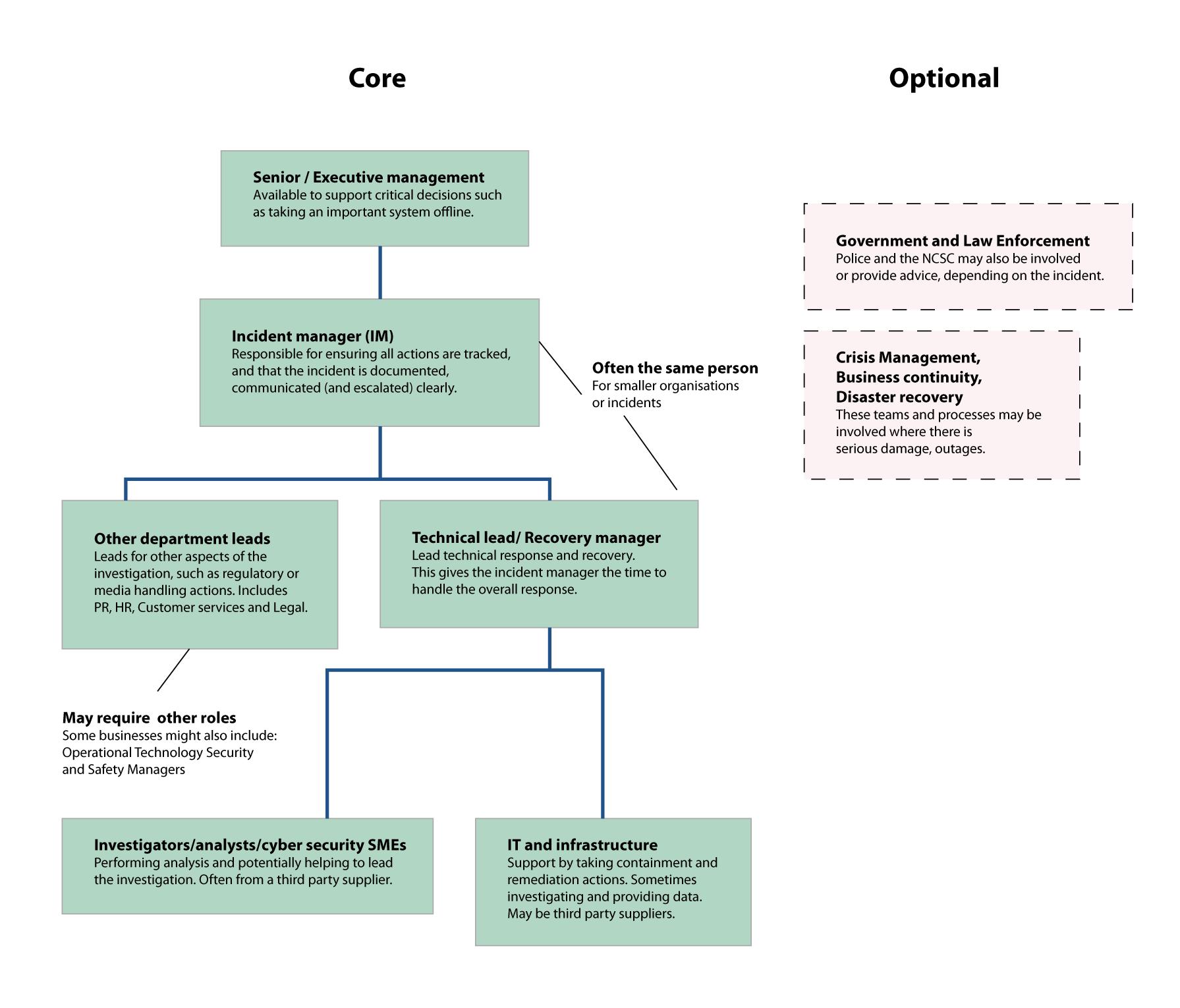
The Incident Response (IR) team swings into action. They follow a strict “Playbook”:
Containment: Cutting off the internet to infected segments to stop the spread.
Eradication: Finding every backdoor the attacker hid in Stage 3.
Investigation: Performing forensics to find out exactly how they got in.
Stage 8: Recovery and Lessons Learned
Recovery is a marathon. It involves restoring systems from backups—hoping the backups weren’t also encrypted or deleted by the attacker.
Organizations must verify every line of data to ensure the attacker didn’t leave a “time bomb” script behind. This is also when the legal and PR teams take over, notifying regulators and customers of the breach. This stage often ends with a Post-Mortem, where the company identifies the “Root Cause” and updates its training—often turning to specialists like FireShark to upskill their staff so it never happens again.
Conclusion: The “Assume Breach” Mentality
In 2026, the most secure companies operate under the “Assume Breach” philosophy. They accept that Stage 1 and 2 will eventually happen. Their focus is on making Stage 4 (Lateral Movement) as hard as possible and Stage 7 (Detection) as fast as possible.
The goal isn’t to be a “fortress” with high walls, but to be an “immune system” that can detect a virus the second it enters the bloodstream.
Frequently Asked Questions (FAQs)
1. How long does a typical cyber attack last?
While the “disruption” happens in minutes, the “Dwell Time” (how long an attacker is inside before being caught) currently averages between 15 to 30 days in 2026.
2. Can an attack happen without malware?
Yes. “Living off the Land” (LotL) attacks use the company’s own tools (like PowerShell or Administrative commands) to steal data, making them extremely hard to detect.
3. Why do hackers wait so long before encrypting files?
They wait to ensure they have stolen enough data for extortion and to make sure they have compromised the backups first.
4. Is paying the ransom a good idea?
Most law enforcement agencies (like the FBI) advise against it. Paying doesn’t guarantee you’ll get your data back, and it marks you as a “paying target” for future attacks.
5. How can I start a career stopping these attacks?
Mastering the basics of SOC Analysis and Ethical Hacking through hands-on labs (like those at FireShark) is the best way to understand the attacker’s mindset.