
Introduction
In today’s digital landscape, virtually every facet of our personal and professional lives is anchored to online infrastructure. From managing institutional capital and navigating cloud-based corporate repositories to handling personal emails and social spaces, our sensitive identities live entirely online.
As our reliance on these digital platforms deepens, the threat vectors targeting them expand exponentially. Threat actors constantly engineer automated frameworks designed to compromise user access. In this high-risk environment, relying solely on a traditional password is an operational liability. To insulate your digital assets from unauthorized exposure, implementing Two-Factor Authentication (2FA) is no longer an optional security choice—it is a baseline necessity.
Understanding Two-Factor Authentication
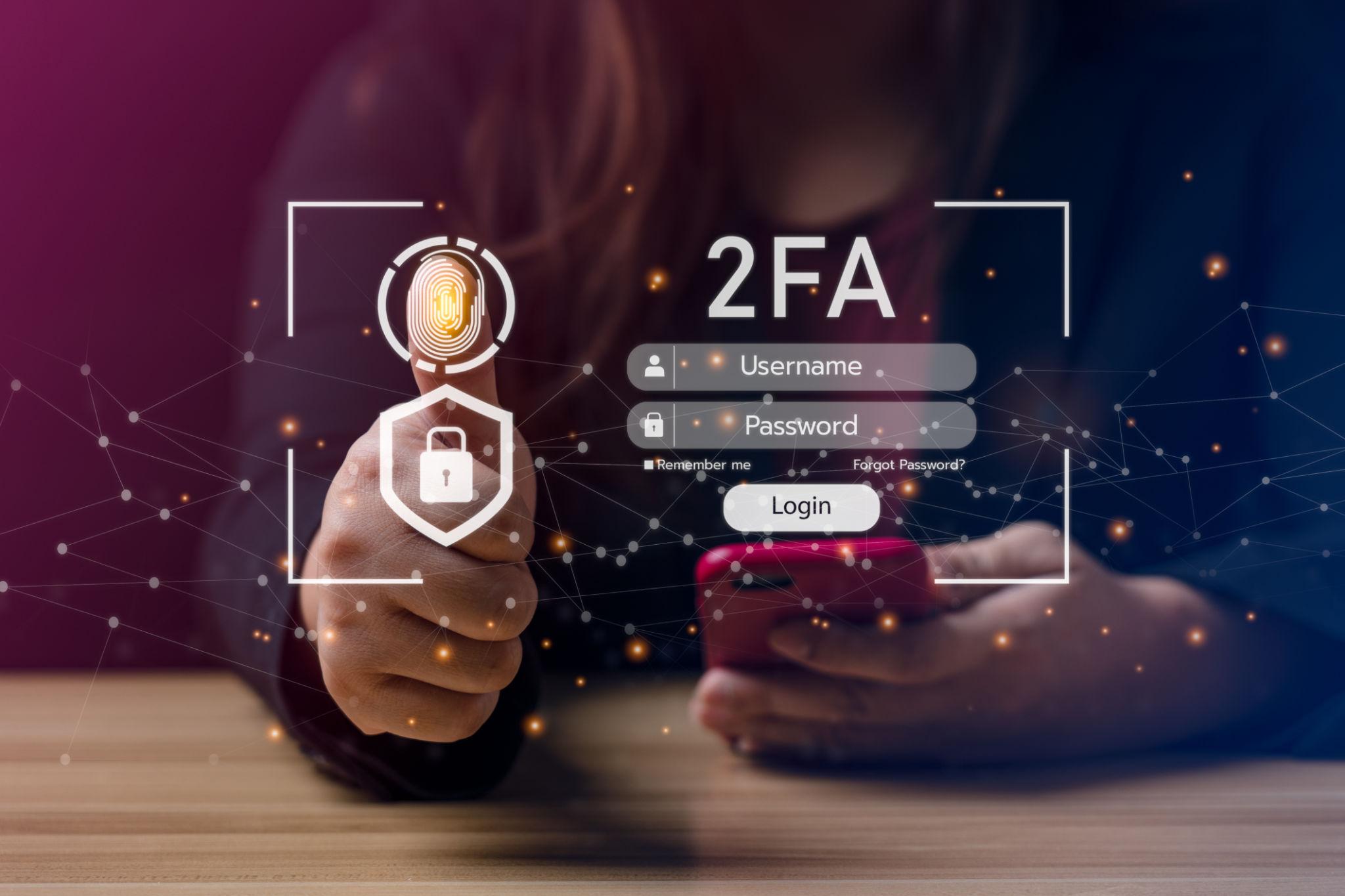
Two-Factor Authentication is an identity verification protocol that requires users to successfully provide two distinct forms of identification before being granted access to a system, application, or account.
This security framework relies on a combination of independent authentication categories. To gain access, a user must fulfill requirements across at least two of these core security pillars:
Something You Know: A piece of information the user memorizes, such as a master password, pass-phrase, or PIN.
Something You Have: A physical or digital asset unique to the user, such as a hardware security key, a smartphone generating time-based codes, or a trusted cryptographic device.
Something You Are: Biological identity markers, including fingerprints, facial recognition geometry, or iris scans (biometrics).
By requiring defense-in-depth across completely separate vectors, 2FA breaks the single-point-of-failure vulnerability inherent to password-only setups.
How Two-Factor Authentication Works
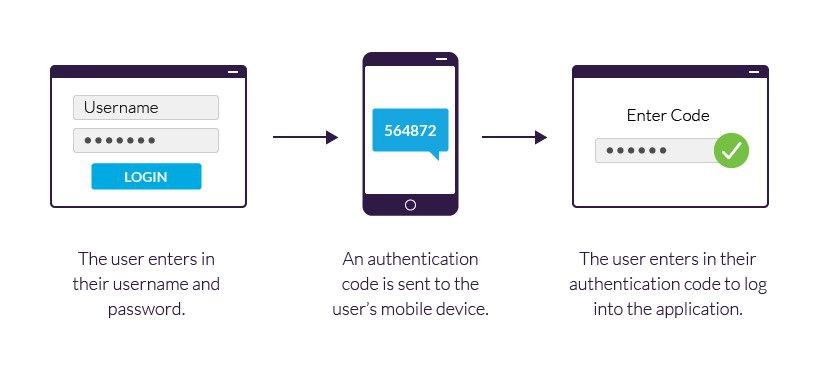
The operational sequence of a 2FA-enabled login process adds a secondary validation gate that intercepts access attempts immediately after standard credentials are submitted.
[Enter Username & Password] ──> [System Validates Credentials] ──> [Prompt for Second Factor] ──> [User Submits Code/Biometric] ──> [Access Granted]
Initial Authentication: The user enters their standard username and password into the login interface.
Primary Verification: The system checks the database to verify if the entered password matches the stored cryptographic hash.
Secondary Challenge: Rather than granting access immediately, the platform initiates a second verification request based on the user’s preconfigured 2FA choice.
Token Verification: The user inputs a temporary code, taps a physical token, or completes a biometric scan. If this second token aligns perfectly with the system’s live server parameters, access is securely granted.
Common Types of Two-Factor Authentication
Not all 2FA methods offer the same degree of defensive resistance. Understanding the structural differences between them allows users to implement the strongest possible protection.
1. SMS and Voice-Based Verification
This highly common approach sends a temporary, single-use numeric code via a standard text message or automated voice call to the user’s registered mobile number. While incredibly convenient, SMS-based validation relies on legacy telecommunication routing networks that are highly vulnerable to interception techniques. Threat actors frequently exploit this specific weakness by running targeted redirection schemes to hijack validation texts. To see how attackers bypass this method completely, review our extensive guide on SIM Swapping Attacks and How to Protect Your Accounts.
2. Time-Based One-Time Password (TOTP) Authenticator Apps
Widely recommended by security professionals, dedicated applications like Google Authenticator, Microsoft Authenticator, or Bitwarden generate temporary, time-based verification codes locally on the user’s device. These codes update every 30 seconds and operate entirely independent of cellular carrier networks, effectively neutralizing interception attacks.
3. Biometric Verification
Biometric authentication leverages unique physical attributes, such as facial structure or fingerprint maps, to verify your identity. Integrated directly into modern hardware ecosystems, biometrics offer a highly secure, frictionless second factor that is exceptionally difficult for remote threat actors to spoof.
4. Hardware Security Keys
Representing the absolute gold standard in modern endpoint defense, hardware security keys (such as a YubiKey) are dedicated physical USB or NFC devices. They leverage public-key cryptography to communicate directly with your browser or application. Because they require local, physical interaction to approve a login attempt, they are completely immune to remote phishing manipulation.
Why Passwords Alone Are No Longer Enough
For decades, the simple password served as the internet’s primary security boundary. However, modern automated attack toolsets have rendered password-only defenses completely obsolete.
Cybercriminals deploy vast botnets to execute rapid credential stuffing operations, parsing billions of previously leaked username and password combinations across thousands of websites simultaneously. If a user reuses a password across multiple platforms, a single minor breach can lead to a cascading compromise of their entire digital footprint. Furthermore, sophisticated social engineering campaigns can trick even tech-savvy users into surrendering complex credentials. To better understand the exact methods threat actors use to harvest these entry points, check out our analysis on How Cybercriminals Steal Passwords and Login Credentials.
The Phishing Intercept: If an individual unknowingly inputs their password into a counterfeit phishing webpage, an attacker gains immediate control of that account. If 2FA is active, however, the attacker remains locked out because they cannot provide the dynamic secondary verification token.
Comparative Matrix: Evaluating 2FA Methods
| Authentication Factor | Exploitation Resistance | User Friction | Deployment Recommendation |
| SMS Text Codes | Low (Vulnerable to routing exploits) | Very Low | Use only as a last resort if no other options exist. |
| Authenticator Apps (TOTP) | High (Device-isolated, time-sensitive) | Low | Excellent standard for personal and professional accounts. |
| Biometric Scans | High (Requires direct physical presence) | Minimal | Ideal for local device access and application unlocking. |
| Hardware Keys (FIDO2) | Maximum (Phishing-proof cryptography) | Low | Required for high-value targets, admins, and enterprise scale. |
Best Practices for Enhancing Your 2FA Architecture
Simply checking a box to turn on 2FA is an excellent start, but maximizing your security architecture requires adhering to several foundational operational rules:
Ditch SMS in Favor of Apps: Wherever supported, disable SMS verification prompts completely and transition your accounts to application-based or hardware-based authentication.
Securely Store Backup Recovery Keys: During initial 2FA setup, platforms provide one-time recovery codes. Print these out or save them in an offline, encrypted space. If your phone is lost or damaged, these backup tokens are the only way to prevent permanent account lockout.
Protect the Authentication Device: Ensure that the smartphone or machine running your authenticator app is locked behind a strict biometric check or strong standalone PIN to prevent unauthorized physical use.
The Future of Authentication
As defensive standards evolve to counter sophisticated corporate and consumer threats, the industry is transitioning toward fully cryptographic ecosystems. While multi-layered authentication remains a vital protective layer today, the industry is gradually laying the groundwork for a broader transition to decentralized, tokenized security. To discover how these emerging technologies are aiming to eliminate traditional login vulnerabilities altogether, explore our insights on Passwordless Authentication: The Future of Secure Logins.
Securing Your Organizational Infrastructure with FireShark
Technical defenses, complex network firewalls, and strict conditional-access policies can be entirely neutralized if a user can be manipulated into bypassing basic access controls. True institutional resilience is built by cultivating deep digital instincts across your entire workforce. To explore the core principles of building an end-to-end organizational defense, review our foundational primer on What is Cybersecurity? Why is Cybersecurity Important!.
FireShark specializes in eliminating authentication vulnerabilities by delivering immersive, high-impact cybersecurity awareness and simulation training. Our educational programs teach teams how to transition away from insecure credential habits, handle backup authentication keys responsibly, and spot sophisticated social engineering loops designed to bypass 2FA setups. By integrating professional security practices into your daily company culture, FireShark transforms your employees into a reliable human firewall.
Conclusion
Two-Factor Authentication stands as one of the most accessible and highly effective security barriers available to protect your identity from unauthorized exposure. By demanding a secondary layer of validation beyond a simple text-based password, 2FA cuts off the low-cost, automated avenues of approach that cybercriminals rely on every day. Taking just a few minutes to configure an authenticator app or deploy a hardware security key adds an invaluable layer of protection to your digital footprint, keeping your identity secure in an increasingly complex online world.
Frequently Asked Questions (FAQs)
1. What exactly is Two-Factor Authentication (2FA)?
Two-Factor Authentication is a verification process that requires a user to provide two completely different types of evidence before gaining access to an account. This typically combines something you know (like a standard password) with something you have (like a unique code generated on an authentication app) or something you are (like a biometric fingerprint scan).
2. Is using 2FA significantly safer than relying solely on a long, strong password?
Yes. Even exceptionally long, complex passwords can be compromised through large-scale data breaches, local keylogging malware, or deceptive phishing sites. When 2FA is active, an attacker who steals your password still cannot access the account because they do not possess your physical device or your unique biometric signature.
3. Why do cybersecurity experts advise against using SMS text messages for 2FA?
SMS verification codes rely on traditional telecommunication routing networks that lack modern cryptographic security. Threat actors can use social engineering tactics to pull off SIM-swapping attacks, redirecting your text messages to their own devices, or intercepting the codes via unencrypted network nodes.
4. What happens if I lose the phone that contains my authenticator app?
If you lose your primary authentication device, you will be locked out of your accounts unless you use your backup recovery codes. These unique, one-time alphanumeric keys are provided during the initial 2FA setup process and should always be stored in a secure, offline location.
5. Can 2FA completely prevent sophisticated phishing attacks?
While 2FA stops the vast majority of standard phishing attacks, it is not entirely foolproof. Highly advanced phishing kits can present lookalike forms that intercept both your password and your live 2FA token simultaneously in real time. To achieve absolute resistance to phishing, deploying hardware security keys (such as a YubiKey) is strongly recommended.