
Introduction
Cybersecurity is frequently associated with large-scale data breaches, nation-state adversaries, and highly complex enterprise defense suites. However, the vast majority of real-world cyber incidents do not occur because an attacker used a groundbreaking, unpatchable exploit. Instead, they happen because of simple, routine mistakes that everyday internet users make during their daily workflows.
Whether at home, in the office, or browsing on the move, minor security oversights create immediate entry points for threat actors. In the hyper-connected environment of 2026, where smartphones, personal laptops, cloud repositories, and smart corporate environments are entirely intertwined, breaking a few bad digital habits is the single most effective way to secure your digital footprint.
The Core Mistakes: Daily Habits Weaponized by Attackers
1. The Danger of Reusing Passwords
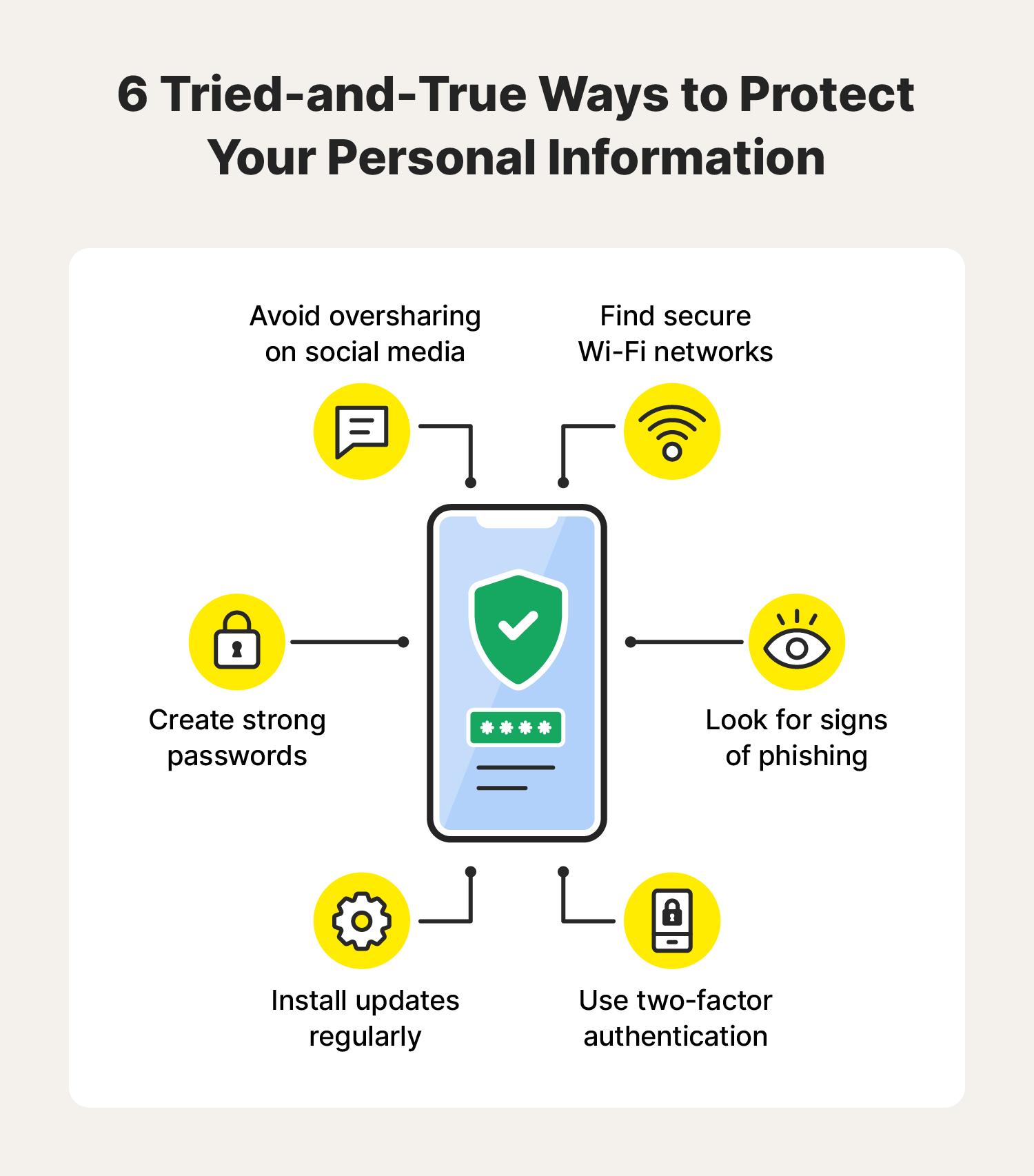
Using identical or slightly modified passwords across multiple digital platforms remains an incredibly common security oversight. To simplify memorization, many people use a single familiar passcode for their personal email, streaming applications, online shopping portals, and secondary workplace tools.
The critical flaw in this approach exposes users to credential stuffing. When a minor, low-security e-commerce website suffers a data breach, cybercriminals do not just steal that platform’s data; they extract the leaked usernames and password hashes and feed them into automated botnets. These bots systematically test those exact combinations across high-value services like banking portals and corporate VPNs.
To explore the mechanics of how hackers capitalize on these weak credentials, read our comprehensive guide on How Cybercriminals Steal Passwords and Login Credentials.
2. Ignoring Software Updates
We are all familiar with the “Update Postponed” prompt. Clicking “Remind me tomorrow” on operating system updates, browser patches, or router firmware notifications is a massive operational risk.
[Vulnerability Discovered] ──> [Vendor Releases Patch] ──> [Delaying Installation] ──> [Attacker Explores Open Window]
Software updates rarely just add cosmetic features; their primary purpose is to deliver critical security patches for newly discovered software vulnerabilities. The moment a software vendor discloses a patch, cybercriminals instantly reverse-engineer the update to identify the underlying flaw. They then build automated scripts to scan the internet for devices running the unpatched, older version of the software. Procrastinating on an update leaves an open invitation for automated exploitation.
3. Clicking Before Verifying: Phishing and Links
Despite decades of awareness campaigns, clicking on links or opening attachments from unverified sources remains a massive threat vector. Modern threat actors rely on advanced psychological manipulation, creating an artificial sense of fear, intense curiosity, or institutional urgency to override logical caution.
A user might receive an urgent text claiming a package delivery is frozen or an email stating their corporate account will be locked within an hour. Acting impulsively on these alerts often installs background infostealer malware or hands credentials directly to a threat actor.
To train yourself to spot these dynamic communication traps, review our detailed breakdown of The Most Common Phishing Techniques Used by Cybercriminals.
4. Over-Sharing on Public Profiles
Many internet users view social media platforms as closed, private spaces for friends and family. However, posting status updates detailing project milestones, vacation schedules, direct family relationships, or pictures displaying workplace badges feeds valuable open-source intelligence (OSINT) straight to malicious actors.
This continuous stream of personal information builds what security professionals call a bloated digital footprint. Attackers aggregate these scattered pieces of personal trivia to build convincing target profiles, guess security authentication questions, or execute targeted identity fraud.
5. Connecting Contentedly to Public Wi-Fi Networks
Working from a local cafe or logging into free airport Wi-Fi without protective measures is an incredibly common daily gamble. Unsecured public networks lack basic traffic isolation protocols.
An attacker sitting on the exact same network can execute Man-in-the-Middle (MitM) attacks, capturing unencrypted web data as it travels through the air. Alternatively, cybercriminals easily deploy “Evil Twin” access points—setting up a rogue Wi-Fi router named “Free_Cafe_WiFi_Secure”—to funnel all your network traffic directly through an attacker-controlled logging server.
Behavioral Matrix: Common Oversights vs. Real-World Impact
| Everyday Mistake | The Real-World Cyber Risk | The Tactical Correction |
| Password Reuse | Account takeover cascade via credential stuffing. | Deploy a dedicated password manager; enforce unique credentials. |
| Delaying Patches | Automated exploitation of publicly known software bugs. | Enable automated overnight updates for all software and OS layers. |
| Blindly Trusting Public Wi-Fi | Data interception and session hijacking via MitM. | Always route public data traffic through an encrypted VPN tunnel. |
| Excessive Social Posting | Provides intelligence for targeted spear-phishing lures. | Set social accounts to private; avoid posting operational work details. |
| Relying Solely on Passwords | Minimal protection if a single credential leaks. | Activate non-SMS, application-based Multi-Factor Authentication (MFA). |
Shifting Enterprise Culture from Vulnerability to Defense
In a corporate landscape dominated by hybrid workspaces and cloud infrastructure, individual behavioral mistakes quickly escalate into systemic business crises. An employee who ignores a browser update or reuses their corporate password on a personal account creates a weak link in the organization’s defensive perimeter.
The Human Variable: Security is never entirely a hardware or software problem; it is fundamentally a behavioral challenge. The most advanced endpoint protection tools can be completely bypassed if a user bypasses established safety protocols for temporary convenience.
Building genuine digital resilience requires an organizational shift away from treating security as an IT-only metric. When teams understand the direct relationship between their daily habits and collective corporate safety, the workforce transforms into an active defense layer. For a broader look at designing end-to-end organizational protection, see our primer on What is Cybersecurity? Why is Cybersecurity Important?.
Enhancing Your Human Firewall with FireShark
Automated security patches and strict network firewalls are necessary components of defense, but they ultimately rely on user discretion. If an individual cannot recognize a sophisticated social engineering attempt or bypasses encryption rules for operational speed, technical barriers fall short. Enterprise protection requires turning your workforce into an analytical, security-conscious team.
FireShark specializes in eliminating common daily security mistakes through immersive, real-world cybersecurity awareness and simulation training. Rather than using dry, compliance-focused lectures, FireShark delivers interactive training scenarios that teach employees how to audit their digital footprints, recognize complex phishing indicators, practice flawless password hygiene, and value timely software updates. By building sharp security instincts across your workforce, FireShark helps turn your employees into a highly effective human firewall.
Conclusion
The overwhelming majority of cybersecurity breaches do not stem from sophisticated zero-day exploits; they are caused by preventable daily oversights. Reusing simple passwords, postponing software patches, trusting public Wi-Fi networks, and over-sharing personal data on social media provide cybercriminals with reliable, low-cost avenues for attack. By maintaining basic situational awareness, using password managers, enabling multi-factor authentication, and verifying incoming communications, individuals can dramatically reduce their exposure and safely navigate the modern internet.
Frequently Asked Questions (FAQs)
1. Why is reusing passwords considered such a severe security risk?
When you reuse a password across multiple services, your entire digital footprint becomes dependent on the security of the weakest platform you use. If a minor website experiences a data breach, hackers will take those leaked credentials and use automated tools to test them against major platforms, leading to an account takeover chain.
2. How do software updates protect my computer if everything seems to be working fine?
Software updates rarely just introduce visual changes; they frequently contain critical security patches for hidden code vulnerabilities. When a software flaw becomes known publicly, cybercriminals actively scan the internet for unpatched systems. Delaying an update leaves your system completely exposed to these automated attacks.
3. Is public Wi-Fi safe to use if the website I am visiting uses HTTPS?
While HTTPS encrypts the specific data sent to a website, public Wi-Fi networks still expose you to notable risks. Attackers on the same network can intercept unencrypted DNS queries, analyze your traffic patterns, or set up lookalike “Evil Twin” networks designed to harvest credentials or drop malware.
4. Why is SMS-based multi-factor authentication (MFA) no longer considered fully secure?
SMS authentication relies on traditional telecommunication routing networks, which are vulnerable to interception techniques like SIM swapping (where an attacker tricks a carrier into porting your number to their device). Utilizing app-based authenticators or hardware keys provides significantly stronger security.
5. How can a password manager improve my daily cybersecurity habits?
A password manager removes the cognitive burden of trying to remember dozens of complex combinations. It securely generates, encrypts, and auto-fills long, unique passwords for every single one of your accounts. This completely eliminates password reuse habits while protecting you against phishing sites, as the manager will not auto-fill details on an unrecognized domain.