

Introduction
The internet has become an essential part of everyday life, but it has also become a place where personal data is constantly collected, analyzed, and shared. Every website you visit, advertisement you click, and search you perform can contribute to a digital profile that companies use for advertising, analytics, and sometimes even data sales. Implementing a comprehensive security strategy is essential in today’s environment; for an overview of foundational protection, see our guide on What is Cybersecurity? Why is cybersecurity important!. While modern browsers include built-in privacy features, many users still remain vulnerable to tracking technologies, invasive advertisements, fingerprinting techniques, and malicious websites.
Fortunately, browser extensions can significantly improve online privacy by blocking trackers, preventing unwanted data collection, securing connections, and giving users more control over their browsing experience. These tools act as an additional layer of protection between users and the countless entities attempting to gather information about their online activities.
Why Browser Privacy Matters
Every time you browse the web, dozens of third-party companies may attempt to collect information about you. Advertising networks track your interests, analytics services monitor your behavior, and some websites use advanced fingerprinting methods to identify your device. Over time, this data can reveal personal habits, preferences, shopping behavior, and even location patterns.
The continuous collection of this data significantly expands your digital footprint, making it easier for entities to create highly accurate profiles of your behavior. Understanding what a digital footprint is and why it matters online is crucial for appreciating the protective role of browser extensions. Privacy-focused browser extensions help reduce this data collection by blocking trackers, removing invasive advertisements, encrypting connections, and preventing websites from gathering unnecessary information. They provide a safer browsing environment without requiring advanced technical knowledge.
uBlock Origin: The Gold Standard for Blocking Ads and Trackers

One of the most respected privacy-focused browser extensions is uBlock Origin. Unlike traditional ad blockers that focus only on advertisements, uBlock Origin blocks a wide range of tracking scripts, malware domains, cryptocurrency miners, and other unwanted content.
When a webpage loads, dozens of scripts may run in the background. Many of these scripts collect information about users for advertising and analytics purposes. uBlock Origin prevents these requests from reaching tracking servers, making pages load faster while enhancing privacy.
Another advantage is its low resource consumption. Unlike some browser extensions that slow down browsing, uBlock Origin is known for being lightweight and efficient. This combination of privacy, performance, and customization makes it one of the most recommended browser extensions available today.
Privacy Badger: Intelligent Tracker Blocking

Developed by the Electronic Frontier Foundation, Privacy Badger takes a different approach to privacy protection. Instead of relying solely on predefined blocklists, it learns which trackers follow users across multiple websites and automatically blocks them.
Privacy Badger identifies tracking behavior by observing how third-party domains interact across different sites. Once it detects a tracker attempting to monitor browsing activity, it limits or blocks that domain.
This adaptive approach allows Privacy Badger to discover and stop trackers that may not yet appear on traditional blocking lists. It provides strong privacy protection while minimizing website breakage.
DuckDuckGo Privacy Essentials

The privacy-focused search company DuckDuckGo offers a browser extension designed to simplify online privacy.
The extension automatically blocks hidden trackers, forces encrypted HTTPS connections whenever possible, and provides a privacy rating for websites. Users can quickly see how much tracking activity occurs on a website before interacting with it.
The extension is especially useful for individuals who want effective privacy protection without spending time adjusting advanced settings. Its straightforward design makes privacy accessible even to beginners.
HTTPS Everywhere and Secure Connections
Historically, many websites offered both secure (HTTPS) and insecure (HTTP) versions. Browsing via HTTP could expose data to interception on public networks.
Although most modern browsers now automatically prefer HTTPS connections, the concept introduced by HTTPS Everywhere helped educate users about encrypted browsing. Today, secure connection enforcement remains an important privacy feature because encrypted traffic prevents outsiders from viewing sensitive browsing data. Encrypted connections are especially important when accessing banking portals, email accounts, online shopping sites, and cloud services. For a deeper look at the technology that keeps your data secure during transmission, explore our detailed analysis of the Understanding the Difference Between Encryption and Decryption.
Decentraleyes: Reducing Third-Party Requests
Many websites rely on external content delivery networks (CDNs) to load popular libraries such as JavaScript frameworks. While convenient, these external requests can reveal browsing activity to third parties.
Decentraleyes addresses this issue by serving commonly used web resources locally instead of downloading them from external servers. As a result, fewer third-party connections are made while browsing.
This reduces the amount of information shared with external providers and can also improve page-loading performance.
Cookie AutoDelete: Better Control Over Cookies
Cookies help websites remember user preferences and login sessions. However, tracking cookies can also monitor browsing activity across multiple sites.
Cookie AutoDelete automatically removes cookies from websites once browser tabs are closed. This prevents many forms of long-term tracking while preserving cookies for active browsing sessions.
For privacy-conscious users, this extension provides a balance between convenience and protection. Websites continue functioning normally, but unnecessary tracking data does not remain stored indefinitely.
ClearURLs: Removing Tracking Parameters
Many links shared online contain hidden tracking parameters that identify where visitors came from or which marketing campaign generated a click.
For example, a simple webpage URL may include additional identifiers that allow advertisers to track user behavior. ClearURLs automatically removes these tracking parameters before websites load. This helps reduce data collection while creating cleaner and more private web navigation.
Users often do not realize how much information is embedded inside URLs, making this extension a valuable privacy enhancement.
NoScript: Advanced Script Control
For users seeking maximum privacy and security, NoScript offers extremely powerful protection. NoScript blocks JavaScript, Flash, and other executable content by default, allowing users to selectively enable scripts only on trusted websites.
This significantly reduces the risk of malicious code execution, browser exploits, and advanced tracking techniques. However, because many modern websites rely heavily on scripts, NoScript requires more technical knowledge and manual management than other privacy extensions. It is often favored by cybersecurity professionals and advanced users who prioritize security over convenience. This highly specialized tool aligns well with advanced defensive paradigms. To understand how such selective trust models are applied on an enterprise scale, check out our piece on What is Zero Trust Security and Why Modern Companies Need It.
Bitwarden: Privacy Through Secure Password Management

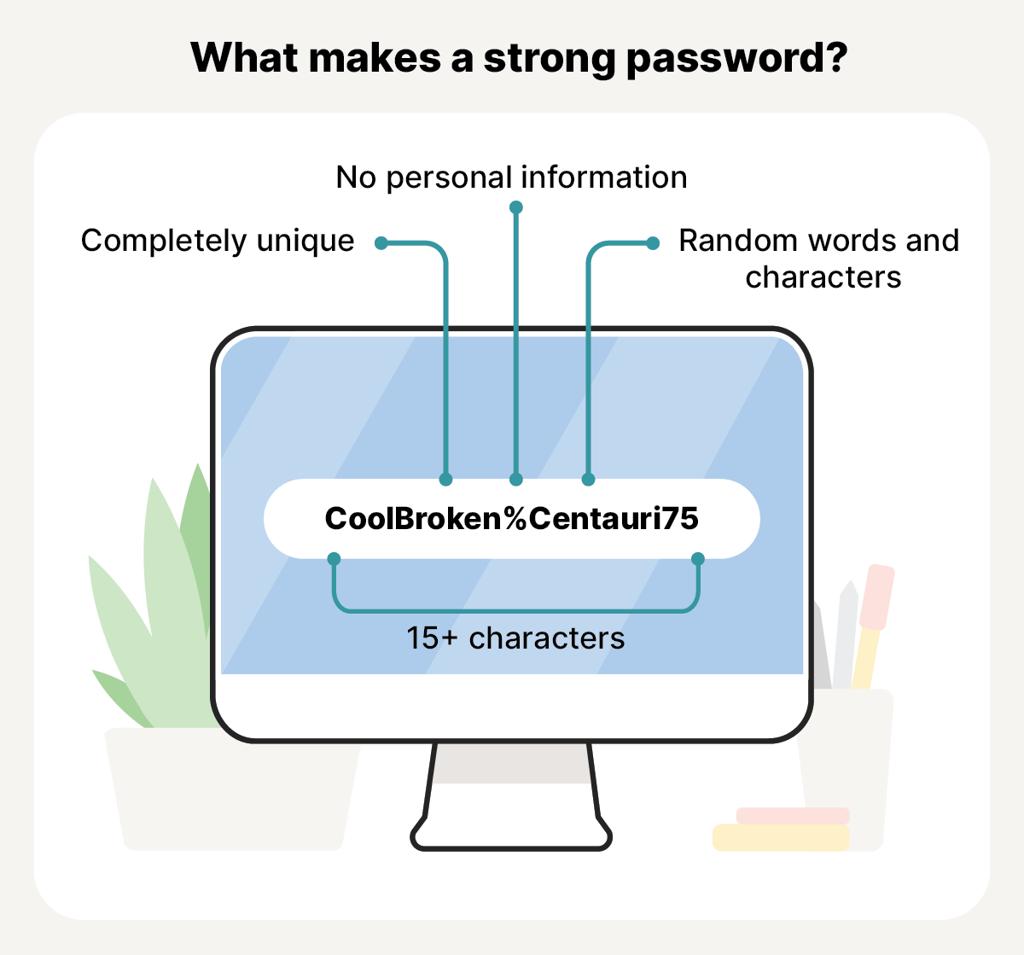
Online privacy is not only about blocking trackers. Account security also plays a critical role. Bitwarden is a browser extension that securely stores passwords, generates strong credentials, and autofills login information. By encouraging unique passwords for every website, it reduces the risk of credential theft and account compromise. Understanding specifically how cybercriminals steal passwords and login credentials highlights the necessity of using strong, unique passwords generated by tools like Bitwarden. Password managers help users avoid password reuse, one of the most common causes of account breaches.
Combining Extensions for Maximum Privacy
The most effective privacy strategy often involves combining several extensions rather than relying on a single solution. For example, a user might combine uBlock Origin for tracker blocking, Privacy Badger for behavioral detection, ClearURLs for link cleaning, and Bitwarden for account security.
However, installing too many privacy extensions can sometimes create compatibility issues or slow down browsing. It is important to select tools that complement each other without overlapping excessively. A well-balanced privacy setup can dramatically reduce online tracking while maintaining a smooth browsing experience.
The Future of Browser Privacy
As tracking technologies become more sophisticated, browser privacy tools continue to evolve. Modern tracking methods increasingly rely on browser fingerprinting, device identification, and behavioral analytics rather than traditional cookies. Privacy-focused developers are constantly adapting their tools to counter these techniques.
At the same time, major browsers are introducing stronger privacy protections directly into their platforms. Despite these improvements, browser extensions remain valuable because they offer additional control, customization, and specialized protection against emerging threats. Online privacy is becoming an increasingly important aspect of digital life. By using carefully selected browser extensions, users can take meaningful steps toward protecting personal information, reducing tracking, and creating a safer browsing environment.
Conclusion
Browser extensions have become essential tools for anyone concerned about online privacy. From blocking trackers and advertisements to securing passwords and eliminating hidden tracking parameters, these tools help users regain control over their digital footprint. While no extension can guarantee complete anonymity, combining trusted privacy solutions can significantly reduce data collection and enhance online security. As cyber threats and tracking technologies continue to evolve, adopting privacy-focused browser extensions remains one of the simplest and most effective ways to browse the internet more safely.
Frequently Asked Questions (FAQs)
1. Are browser privacy extensions safe to use? Yes, reputable privacy extensions from trusted developers are generally safe. Always download extensions from official browser stores and review permissions before installation.
2. Can privacy extensions slow down my browser? Most modern privacy extensions have minimal impact on performance. In fact, ad and tracker blockers often make websites load faster by preventing unnecessary requests.
3. Do privacy extensions make me completely anonymous online? No. Privacy extensions reduce tracking and data collection, but complete anonymity typically requires additional tools such as VPNs, privacy-focused browsers, and careful browsing habits.
4. Which privacy extension is best for beginners? DuckDuckGo Privacy Essentials and uBlock Origin are excellent choices for beginners because they provide strong protection with minimal configuration.
5. Can I use multiple privacy extensions together? Yes, but avoid installing several extensions that perform the same function. Combining complementary tools usually provides the best balance of privacy and performance.