
Introduction
Remote work has transformed the modern workplace, allowing professionals to collaborate from virtually anywhere in the world. Whether working from home, a neighborhood café, or while traveling, employees now rely heavily on digital tools and cloud-based platforms to stay productive.
While this flexibility offers numerous professional benefits, it also introduces significant operational vulnerabilities. Cybercriminals actively target remote workers because home networks and personal devices are often less secure than corporate environments.
A single weak password, unsecured Wi-Fi connection, or misdirected click on a phishing email can lead to catastrophic data breaches, financial losses, and long-term reputational damage. Because of this, staying safe online is no longer solely the responsibility of a centralized IT department—it has become an essential habit that every remote professional must practice daily. Understanding these fundamental practices is the baseline of understanding What Is Cybersecurity? Why Is Cybersecurity Important?
Why Remote Workers Are Attractive Targets for Cybercriminals
Traditional corporate offices typically operate behind enterprise-grade firewalls, continuously monitored networks, and dedicated security operation centers. In contrast, remote workers often connect through home internet setups, personal laptops, and public Wi-Fi networks that completely lack structural protection.
[Enterprise Firewall] ──> Secure Corporate Environment (Low Risk Target)
[Home / Public Wi-Fi] ──> Exposed Access Vector       (High Risk Target)
Hackers exploit these localized vulnerabilities using sophisticated social engineering, malware deployment, credential stuffing, and spoofed websites. They know that remote employees frequently handle confidential company data from multiple devices, making them highly valuable entry points.
Additionally, the growing use of cloud storage, collaboration platforms, and video conferencing applications has vastly expanded the corporate attack surface. This means even a minor oversight can provide malicious actors with unauthorized access to critical infrastructure.
Technical Security Environment: Traditional vs. Remote Work
| Security Element | Traditional Office Setup | Remote Work Environment |
| Network Protection | Managed hardware firewalls & secure gateways | Standard consumer routers & public access points |
| Identity Verification | Physical access controls & corporate domains | Remote login points & web-based portals |
| Device Integrity | IT-managed endpoints with strict restrictions | BYOD (Bring Your Own Device) & shared home PCs |
| Physical Security | Security badges, cameras, and locked facilities | Shared spaces, public transit, and home access |
Essential Daily Cybersecurity Habits
1. Use Strong and Unique Passwords
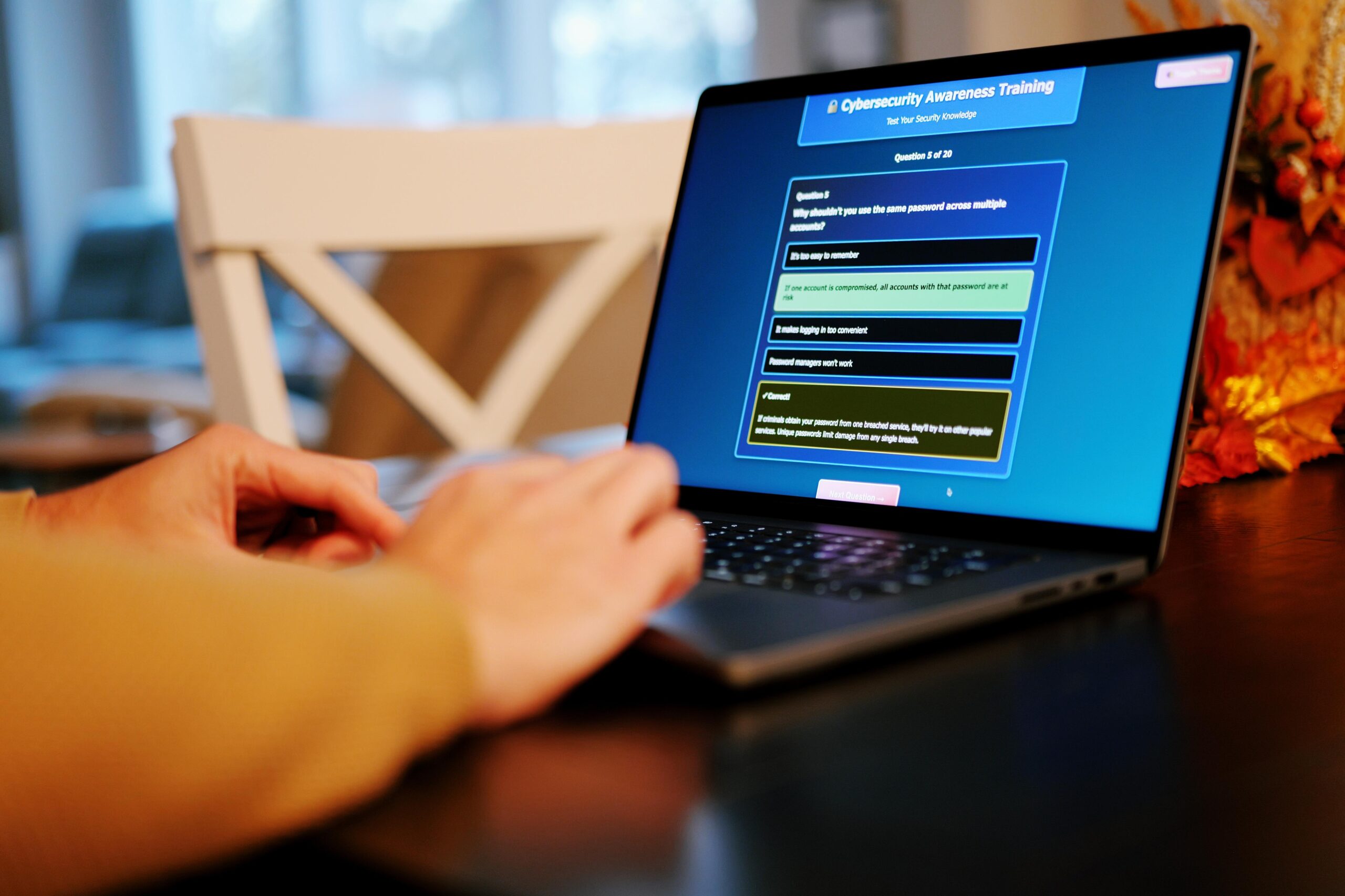
One of the most common causes of data breaches is weak or reused passwords. Many users continue to protect critical accounts with simple passwords such as birthdays, pet names, or sequential numbers, making it easy for hackers to guess or execute automated brute-force attacks.
Every online account must have a complex, unique password that combines uppercase letters, lowercase letters, numbers, and special symbols. Using completely different credentials across different services ensures that if one platform suffers a data breach, your remaining accounts stay protected. Password managers are incredibly valuable utilities here; they securely generate, store, and auto-fill complex strings, eliminating the need to memorize dozens of credentials.
2. Enable Multi-Factor Authentication (MFA)
Even the most complex password cannot guarantee safety if it is accidentally exposed through a phishing scheme or a third-party server leak. Multi-Factor Authentication (MFA) introduces an essential secondary layer of defense by requiring an independent verification step, such as a localized prompt or a time-sensitive token generated by an authentication app.
The Security Reality: With MFA fully implemented, an unauthorized user cannot access an account even if they manage to compromise your username and password.
Because of this protective capability, remote professionals should discover how to set up secondary validation controls across all profiles by exploring our exhaustive guide on What Is Two-Factor Authentication and Why You Should Use It.
3. Secure Your Home Wi-Fi Network
Many remote workers completely overlook the importance of securing their residential internet routers. A poorly configured Wi-Fi network allows nearby attackers to intercept local wireless traffic, perform man-in-the-middle attacks, or compromise connected corporate assets.
You can significantly harden your home network by taking a few immediate steps:
Change the default administrative password on your router.
Enable modern WPA3 or WPA2 encryption standards.
Keep your router’s firmware completely up to date.
Disable unnecessary features like remote management or WPS.
Equally critical is avoiding unencrypted public networks altogether. If you must work from an airport, coffee shop, or hotel, understanding your environmental vulnerabilities is non-negotiable. Learn more about how threat actors map these open pathways in our deep dive on How Hackers Exploit Public Wi-Fi Networks and How to Stay Safe.
4. Always Use a Virtual Private Network (VPN)
A Virtual Private Network (VPN) creates a securely encrypted tunnel between your device and a destination server, rendering your transit data completely unreadable to anyone trying to intercept it. This is especially important when handling sensitive enterprise resources from outside the corporate perimeter.
Corporate VPN platforms shield your login credentials, internal communications, and proprietary data from external eavesdropping. To keep your remote connection safe from tracking without compromising performance, check out our review on how to Experience Blazing Fast Internet with ZoogVPN.
5. Keep Devices and Software Updated
Software updates are rarely just about visual redesigns or new product features; they frequently contain critical security patches designed to fix structural vulnerabilities discovered by researchers and engineers.
Cybercriminals constantly monitor software ecosystems to target outdated operating systems, browsers, and plug-ins because they contain known, exploitable weaknesses. Intentionally delaying updates leaves a welcoming door open for network intrusion. Remote professionals should configure automatic updates across all laptops, smartphones, security software, and productivity tools to ensure defenses remain current.
6. Stay Alert to Phishing Attacks
Phishing remains one of the most successful cyberattack methods globally because it targets human psychology rather than technical flaws. Attackers engineer highly convincing emails, text messages, or chat notifications that perfectly mimic trusted institutions, direct supervisors, or common service providers.
[Phishing Lure Received] ──> Verify Sender Address ──> Avoid Unknown Links ──> Report to IT
These fraudulent messages are designed to trigger a sense of urgency, coercing you into clicking malicious links, downloading corrupted files, or typing your credentials into a fake landing page. Before interacting with any unexpected request, carefully inspect the sender’s full email address and cross-reference the query through official internal channels. Building an accurate understanding of these deceptive tactics is easy when reviewing The Most Common Phishing Techniques Used by Cybercriminals.
7. Protect Company Data & Prevent Malware
Remote work naturally involves interacting with proprietary files, financial data, and personal customer information. Mishandling or improperly storing this data can carry severe legal and compliance penalties.
All sensitive files should be housed exclusively within company-approved cloud systems rather than personal storage drives or unencrypted USB sticks. Additionally, remote workers must establish a routine, automated backup schedule to protect their localized work against hardware failures or sudden encryption loops. Discovering how to handle data securely is an excellent defense against the worst-case scenario: finding out How Ransomware Attacks Work and How to Prevent Them.
8. Use Antivirus and Endpoint Protection
Modern antivirus utilities deliver continuous, real-time tracking against viruses, trojans, ransomware, and spyware threats. Enterprise-grade endpoint protection goes a step further by identifying anomalous system behavior and stopping malicious processes before they can execute. While no software package can guarantee absolute immunity, running regular system scans and maintaining updated security software dramatically reduces your overall risk profile.
9. Lock Your Devices and Workspace
Physical security is often neglected during digital safety discussions, yet leaving a device unlocked or unattended for even a short period can completely compromise an enterprise network. Remote workers should configure strict, short timeout rules for automatic screen locks, leverage biometric authentication wherever available, and secure their equipment whenever stepping away from their desk. When working outside the home, laptops and mobile assets should never be left unmonitored in public spaces.
10. Be Cautious with File Sharing and Downloads
Downloading applications or media files from unverified online hubs can silently install malware or keyloggers onto your corporate machine. Employees must only run software platforms that have been explicitly vetted and approved by their corporate IT division, avoiding third-party repositories, cracked utilities, or unverified browser extensions. Treat inbound files from unknown origins with strict caution, as payload hidden inside an innocent-looking PDF or spreadsheet can trigger a major security event.
11. Practice Good Digital Hygiene Every Day
True digital security cannot be achieved by installing a single tool; it is built over time through consistent, daily micro-habits. Routinely logging out of unused platforms, reviewing privacy permissions, deleting deprecated applications, and tracking account logs all work together to minimize your digital footprint.
By identifying and avoiding the Common Cybersecurity Mistakes People Make Every Day, remote workers can turn passive awareness into an active defensive shield.
Conclusion
Remote work is a permanent fixture of our modern professional landscape, bringing unparalleled flexibility and performance to millions of workers around the world. However, this decentralized freedom demands equal personal security responsibility. As threat vectors continue to evolve, relying on basic intuition is no longer an option.
By making strong passwords, multi-factor authentication, secure Wi-Fi topologies, and vigilant browsing habits an instinctive part of your daily routine, you can confidently navigate the web safely. Ultimately, the most resilient remote workforce is one that seamlessly pairs cutting-edge technology with smart, consistent habits.
Frequently Asked Questions (FAQs)
1. Why is cybersecurity uniquely critical for remote working professionals?
Remote professionals routinely handle proprietary corporate information outside the protective perimeter of enterprise office networks. This decentralized access model makes them prime targets for threat actors looking to exploit vulnerable home routers or personal devices to breach corporate infrastructure.
2. What is the single most common cyber threat targeted at remote employees?
Phishing campaigns remain the primary threat vector. Because they exploit human emotion and curiosity rather than technical configurations, tricking a user into typing their credentials into a cloned portal or downloading an infected attachment is often the easiest entry point for an attacker.
3. How exactly does Multi-Factor Authentication (MFA) stop an intrusion?
MFA requires a user to provide two or more verification factors to gain account access. Even if an attacker successfully steals your password through a data breach or keylogger, they cannot access your profile without the physical authentication token or prompt sent to your authorized mobile device.
4. Is it safe to use a public Wi-Fi network if I am only answering basic emails?
No. Open public Wi-Fi networks allow anyone on the same connection to potentially intercept your data traffic or run packet sniffing tools. If you must use public access points, you should always route your traffic through a trusted, encrypted Virtual Private Network (VPN) to obscure your data.
5. What simple daily routines can I implement immediately to protect my data?
Start by separating your personal and professional browsing habits, configure auto-lock features on all your devices, use unique passwords across your accounts, enable automatic software updates, and maintain a healthy skepticism toward any unsolicited inbound communication.